One of the NEW features is the Bulk Import, which is used for loading multiple email accounts in the software with the required fields at a time.
For creating the Excel file, please follow these simple steps:
1. Do not change the column width.
2. The first column contains the email address
3. The second column contains the email account’s password
4. The third column contains the IMAP/POP server.
5. The fourth column contains the port
6. The fifth column is for SSL. You need to use “True” if the encryption method is SSL and “False” if it doesn’t use SSL.
7. The sixth column is for TLS. You need to use “True” if the encryption method is TLS and “False” if it doesn’t use TLS.
| Password | Server | Port | SSL | TLS | |
| Your email address | Account password/App password | IMAP/POP server | IMAP/POP port | True/False | True/False |
| abc@xyz.com | ******* | Imap.xyz.com | 993 | True | False |
1. For using this feature, first open the application and click the “Import Accounts” option.
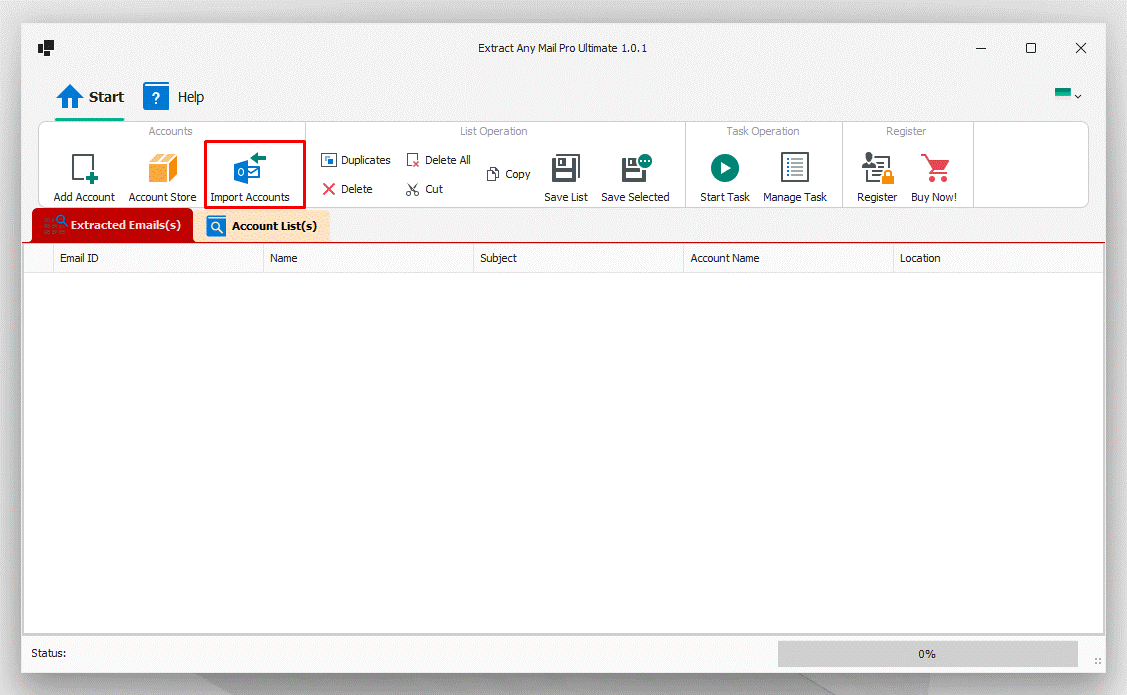
2. Once you click the option it will open a window and you will see “Import Excel” option.
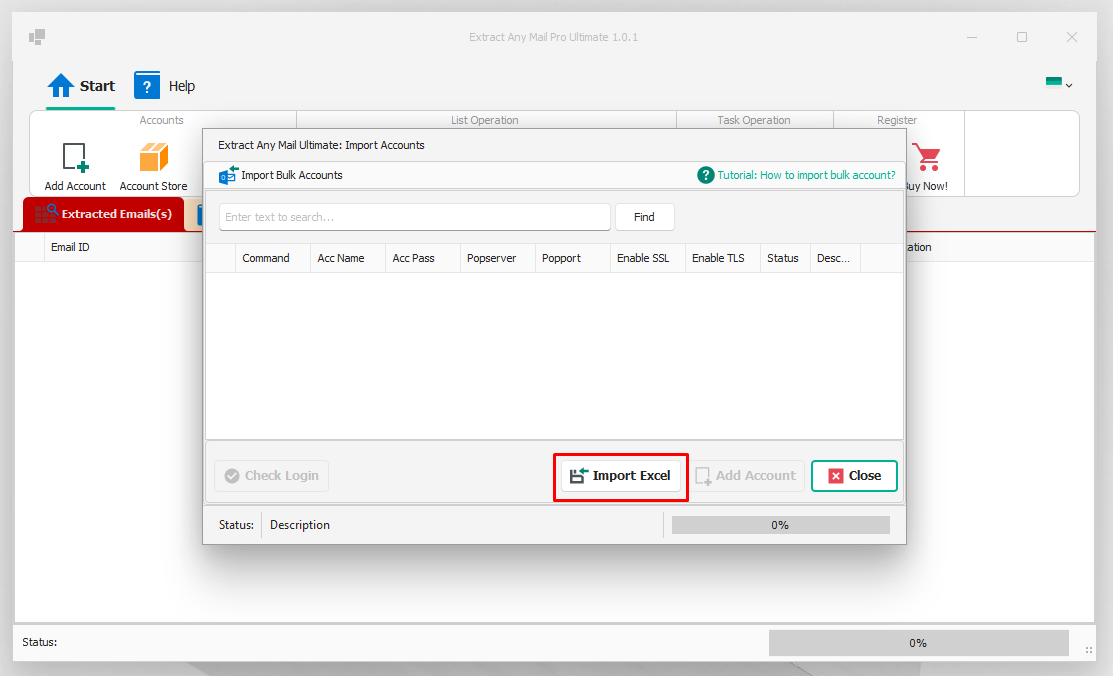
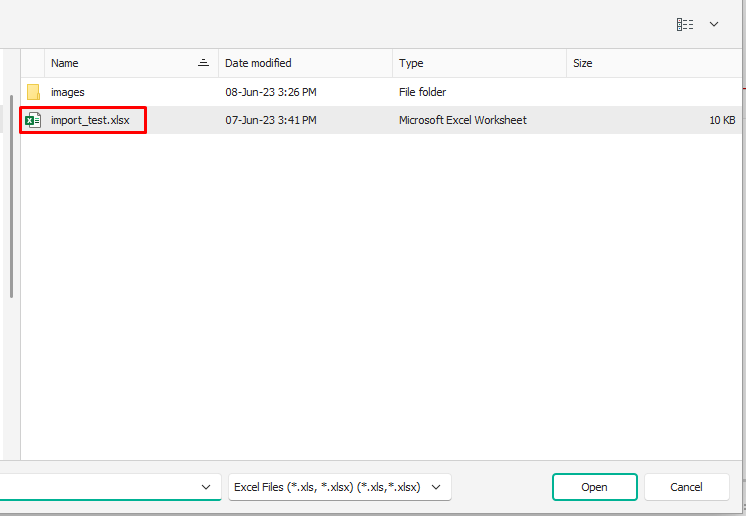
3. Now select the email accounts Excel file and open it.
4. If the excel file is in correct format, then it will load the email addressed from the Excel file.
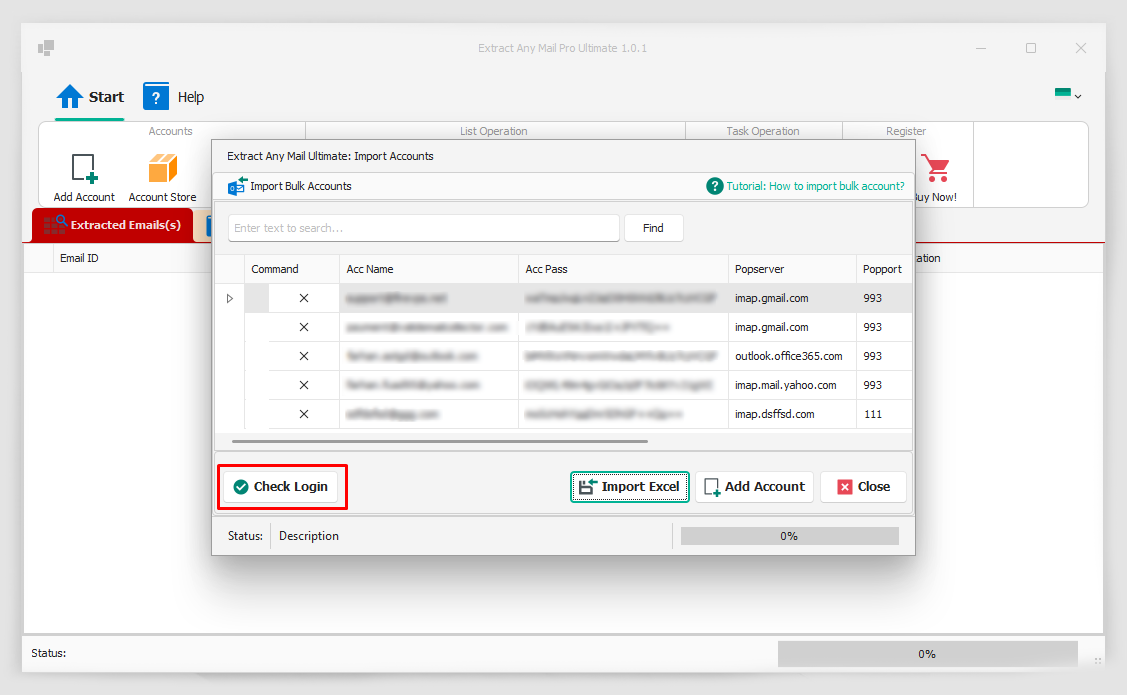
5. Once loaded, click the “Check Login” option to see if the credentials are correct.
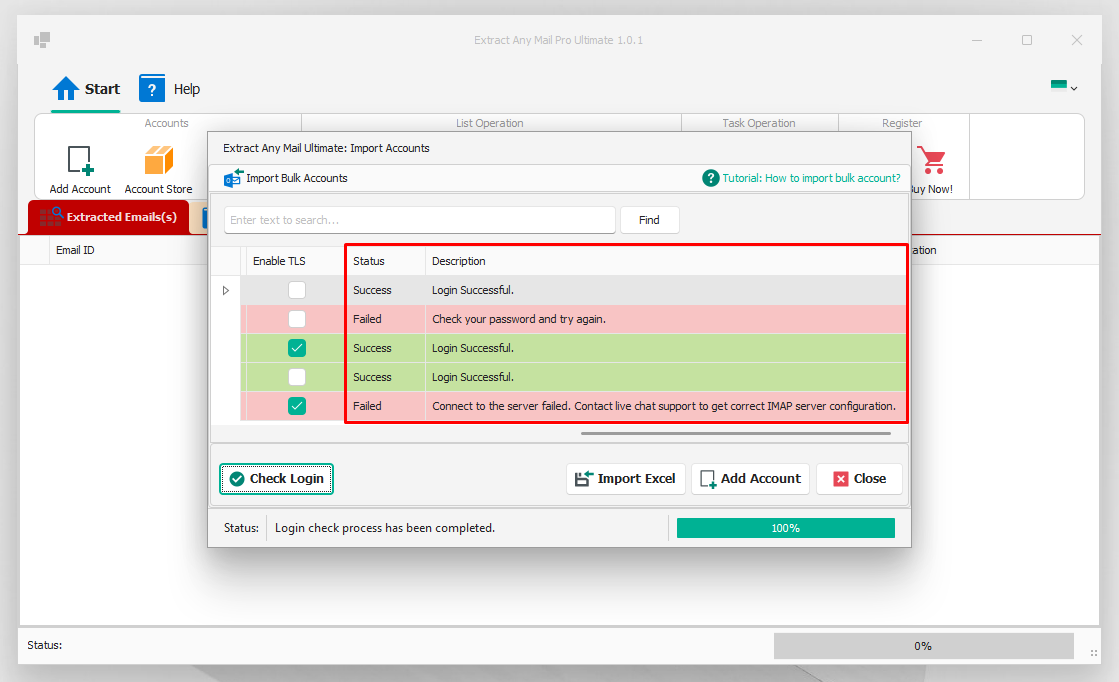
6. Once the checking is complete, it will show the status and error log if it is incorrect.
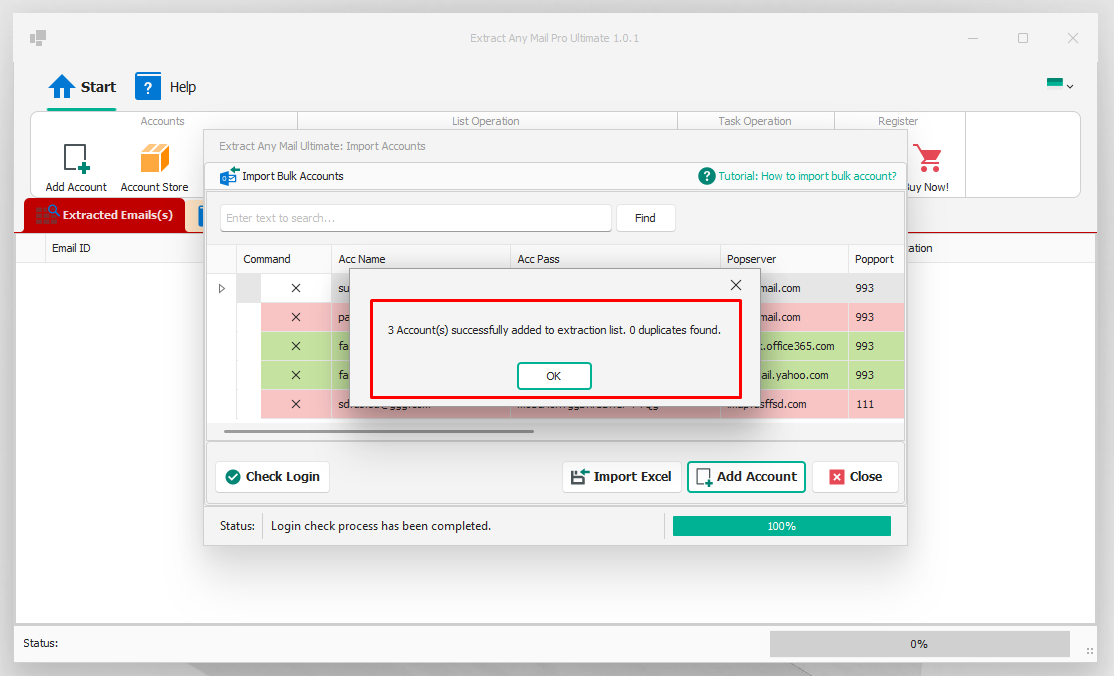
7. Now if you click the Add Account option, it will add the accounts that showed login success.
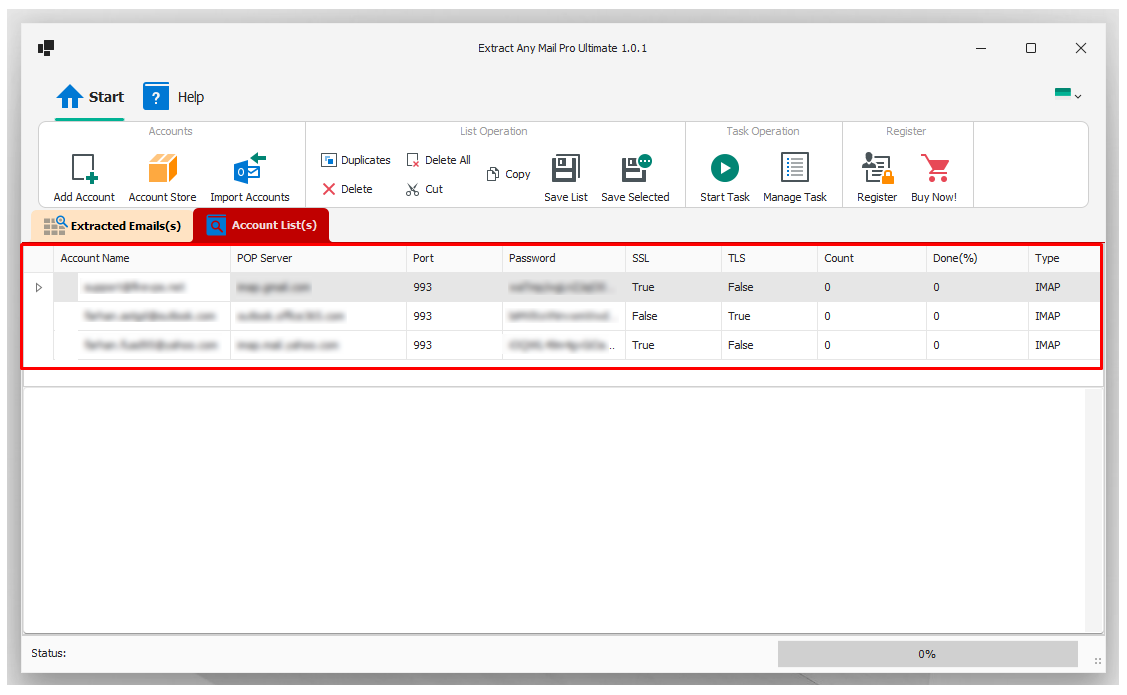
8. You will see the added accounts on the “Account List” tab.
If you are still having any issues or confusion, please feel free to knock un on Live Chat from our website: https://validemailcollector.com/
Skype: https://join.skype.com/invite/GE5rdBSXKnEx
Email Address: support@validemailcollector.com
Keep exploring
Related Posts
Registering an App in Azure Portal to Obtain Client ID for OAuth with Microsoft 365 – Email Extraction with Extract Any Mail Ultimate
What is OAuth 2.0?OAuth 2.0 is an industry-standard authorization framework that enables third-party applications to gain limited access to user resources without exposing user credentials. It works by issuing access tokens to applications, allowing them to interact with APIs on...
Read article →
Registering an App in Google Cloud Console for Gmail OAuth: Client ID Setup for Email Extraction with Extract Any Mail Ultimate
OAuth for Gmail or Google WorkspaceTo use “Extract Any Mail Ultimate” with your Google account and extract email addresses, the software requires a Client ID and Client Secret to authenticate with Google’s APIs (Gmail API in this case). These credentials are part of Google’s OAut...
Read article →
How to create app password for Gmail
Due to the email providers security update, you need to generate an app password to access the account from a 3rd party application. For generating an app password for Gmail, you need to login to your Gmail/Google account first.1. You can login from here to go to the security pag...
Read article →